
// Home/// Automation lab/// Inbox triage, three versions in
Inbox triage, three versions in
Gmail polled every minute into Discord channels, with an AI classifier next that won't book a calendar invite from a tentative "would Friday work?"
Part of a case studySee this build with the rest of the system, the deck and the screens.Open →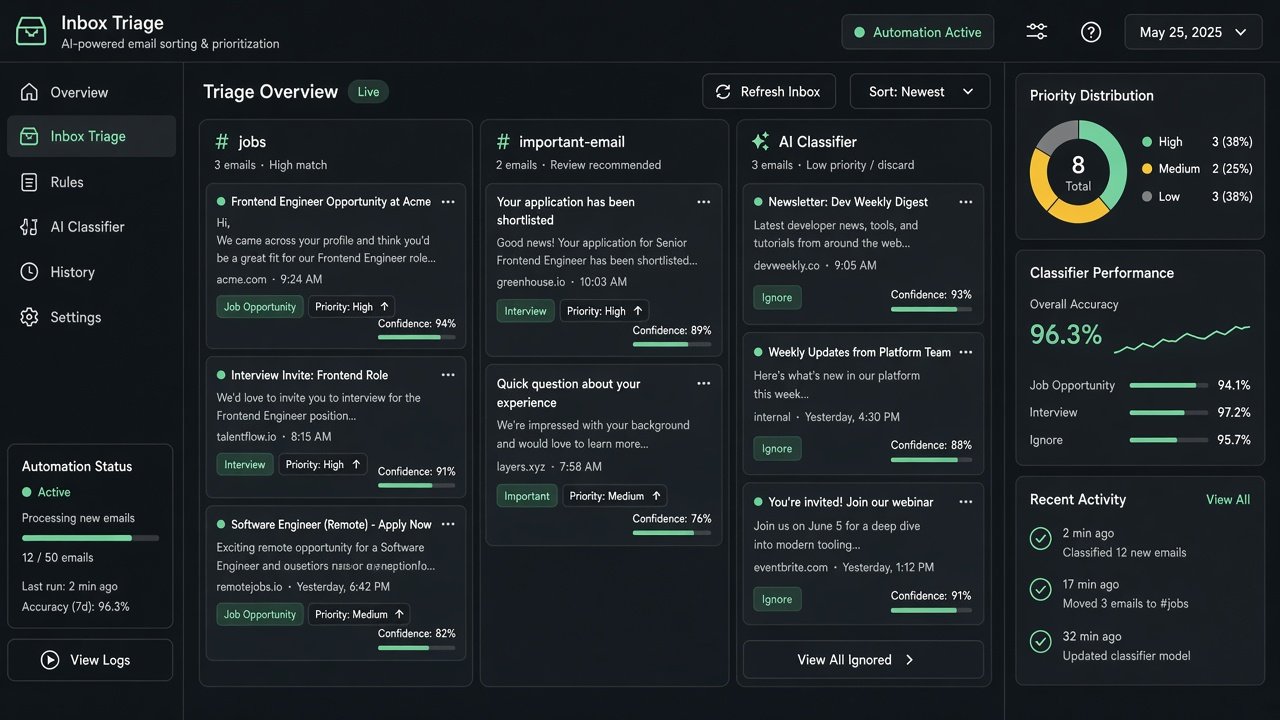
Email is where job leads, interview invites and payment notices hide between newsletters. I've rebuilt this a few times, and each version taught me something.
The first sent important mail to WhatsApp. It filtered on keywords and also read calendar attachments, so an interview invite arrived on my phone with the date, time and organiser already pulled out.
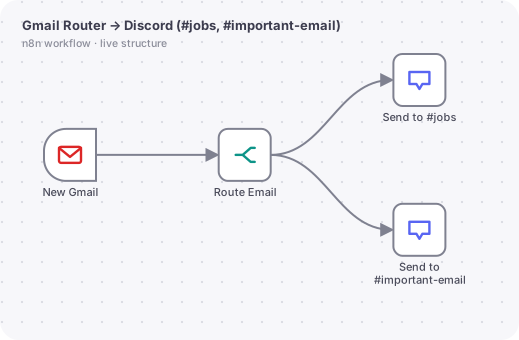
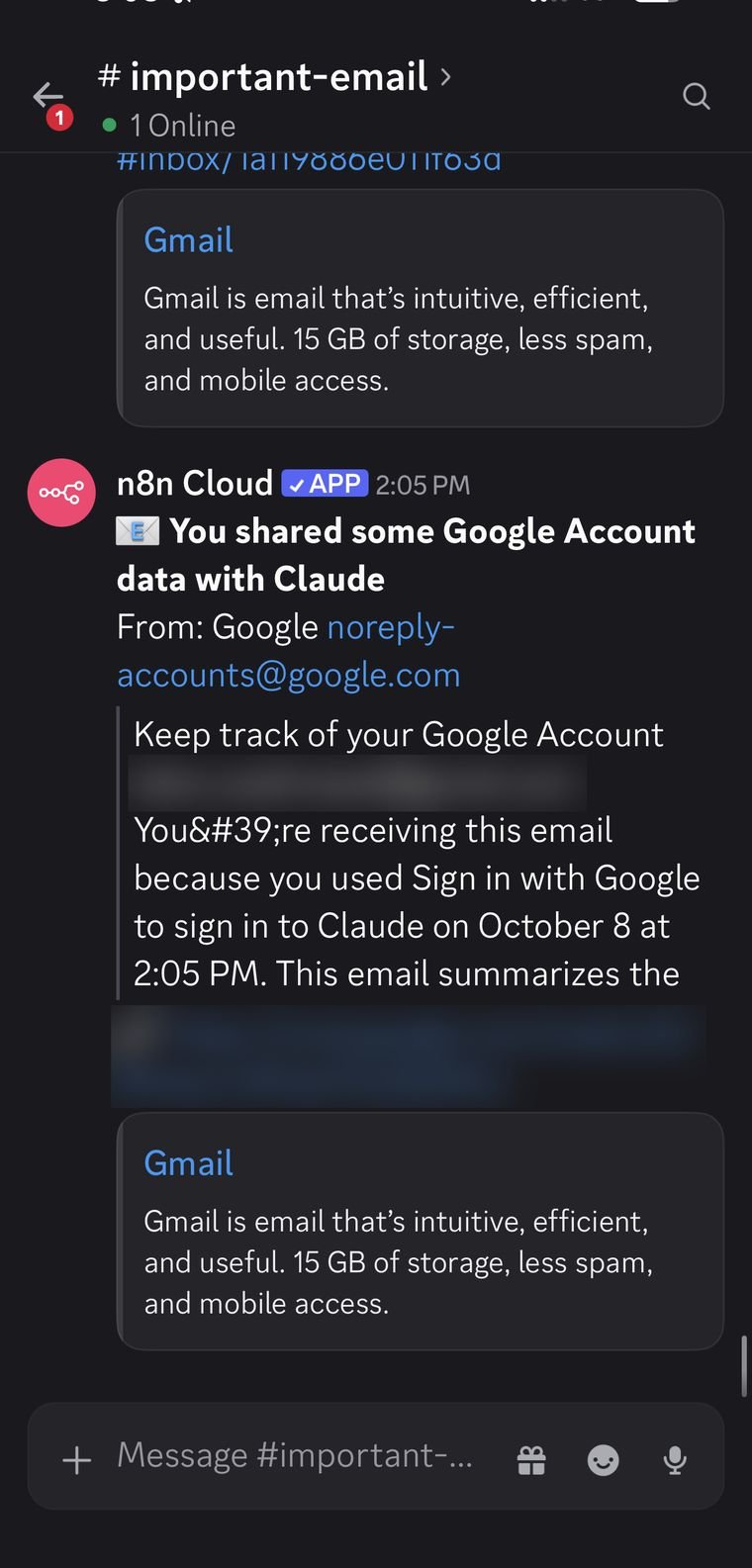
The version running today polls Gmail every minute and splits mail into two Discord channels: job-related messages go to #jobs and anything Gmail marks important goes to #important-email.
The next version uses an AI classifier. Each email is sorted into one of seven categories, from job opportunity to interview to ignore, with a priority, a deadline and a confidence score. Nothing happens below 85% confidence. Confirmed interviews become Google Calendar events on their own, and tasks are logged to a sheet. I wrote the prompt to treat "Would Friday at 3 work?" as a proposal, not a booking, because that's exactly the mistake I didn't want it to make.
In use
Usage figures are my own counts.
The actual n8n workflow
// Technical overview
Four generations of the same idea, from keyword rules to an AI classifier. They show a deliberate path: start with cheap rules, add AI only where rules fail, and gate the AI with confidence.
// Trigger
Gmail trigger polling every minute (unread inbox, promotions and social excluded, up to 10 per poll), or a manual run for the draft classifier.
// How it works, step by step
- 01
Router to Discord (running)
A Switch node checks the lowercased subject, sender and snippet against a job keyword regex first, then the IMPORTANT label. Matches post to #jobs or #important-email with a bold subject, the sender, a 600 character snippet and a link built from the thread ID. No AI and no storage, so it is fast and free.
- 02
WhatsApp alerts (draft)
An IF node filters on keywords such as interview, offer, payment and invoice. The full message is fetched, and a Code node parses attached calendar invites (.ics) to pull the title, start, end, location and organiser, then builds one WhatsApp text.
- 03
AI classifier (draft)
An Information Extractor reads each job hunt mail and returns category (interview, calendar, task, job opportunity, application update, important), company, role, deadline, event date and time, priority, task text and a confidence score.
- 04
Confidence gate
An If node lets only results with confidence at or above 0.85 continue. A Switch routes by category.
- 05
Act
Interview and calendar categories pass a check that both date and time exist, then create a one hour Google Calendar event in the India time zone. Tasks are appended to a Google Sheet with an ID, priority, due date and status.
// AI design
The classifier prompt is strict: use only the email, never invent companies, titles or dates, return null when unsure, and treat a proposed time as a proposal. So Would Friday at 3 work is a suggestion and is not booked.
// What you can do with it
Job hunt radar
Recruiter mail lands in a dedicated channel the moment it arrives.
Interview to calendar
A confirmed interview becomes a calendar event with the company and role in the title.
Action tracker
Deadlines and to-dos found in mail become rows with a priority.
Payment and invoice alerts
Money related mail is pushed to the phone and not left in the inbox.
// Guardrails
- Confidence threshold of 0.85 before any action.
- Date and time presence check before creating events.
- Per-poll cap and category exclusions limit noise and cost.
- Strict no-invention prompt with null for unknown values.
// Where it can go next
- Connect the low confidence branch to a review channel.
- Draft reply suggestions for recruiter mail.
- Add slash commands in Discord such as jobs, daily and add-task.
// Workflows in this project
Gmail Router to Discord
Keyword and label routing into two channels.
Gmail to WhatsApp Notification
Keyword filter with calendar invite parsing.
Discord Personal Assistant
AI classifier, confidence gate, calendar and sheet actions.
Email summary to Discord (early)
First Gemini summary experiment, replaced by the classifier.
Screens
Hiring a design leader for an AI product?
I'm open to design leadership roles. Send me a note and I'll reply within two working days.