
// Home/// Automation lab/// Morning briefing in Discord
Morning briefing in Discord
Today's Google Calendar and open Tasks posted to Discord, a small ritual that turned Discord into my command centre.
Part of a case studySee this build with the rest of the system, the deck and the screens.Open →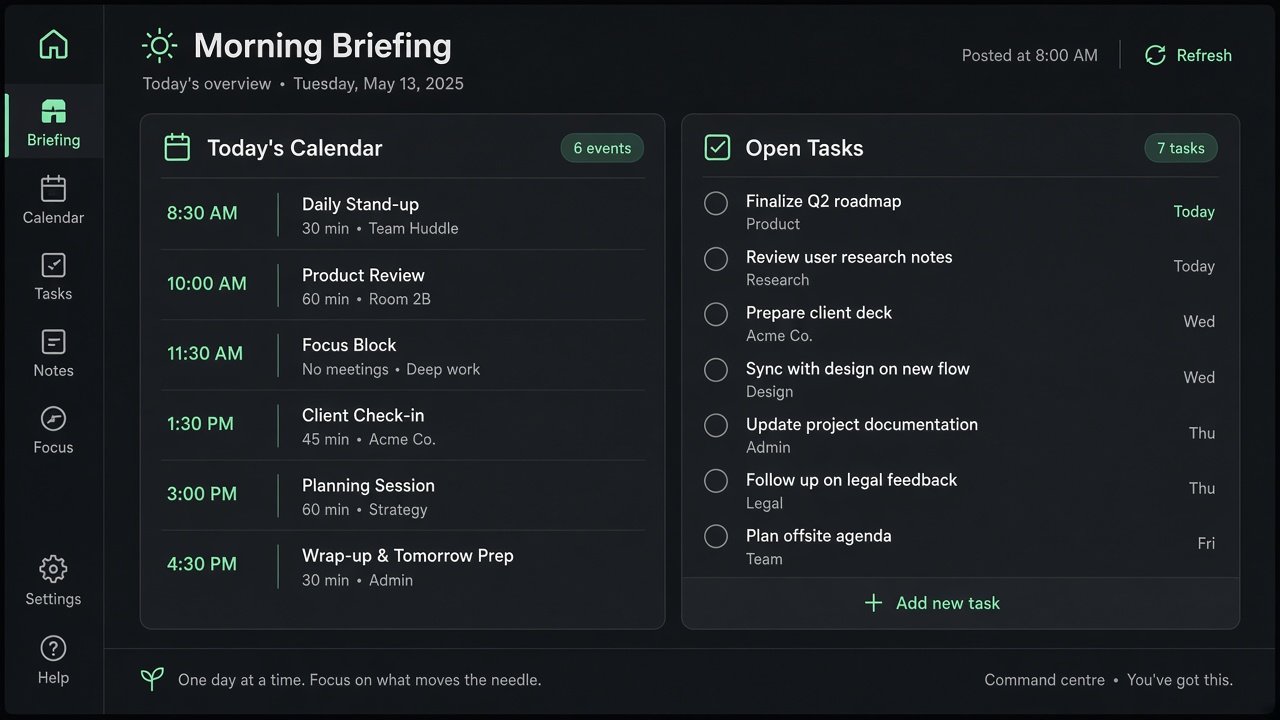
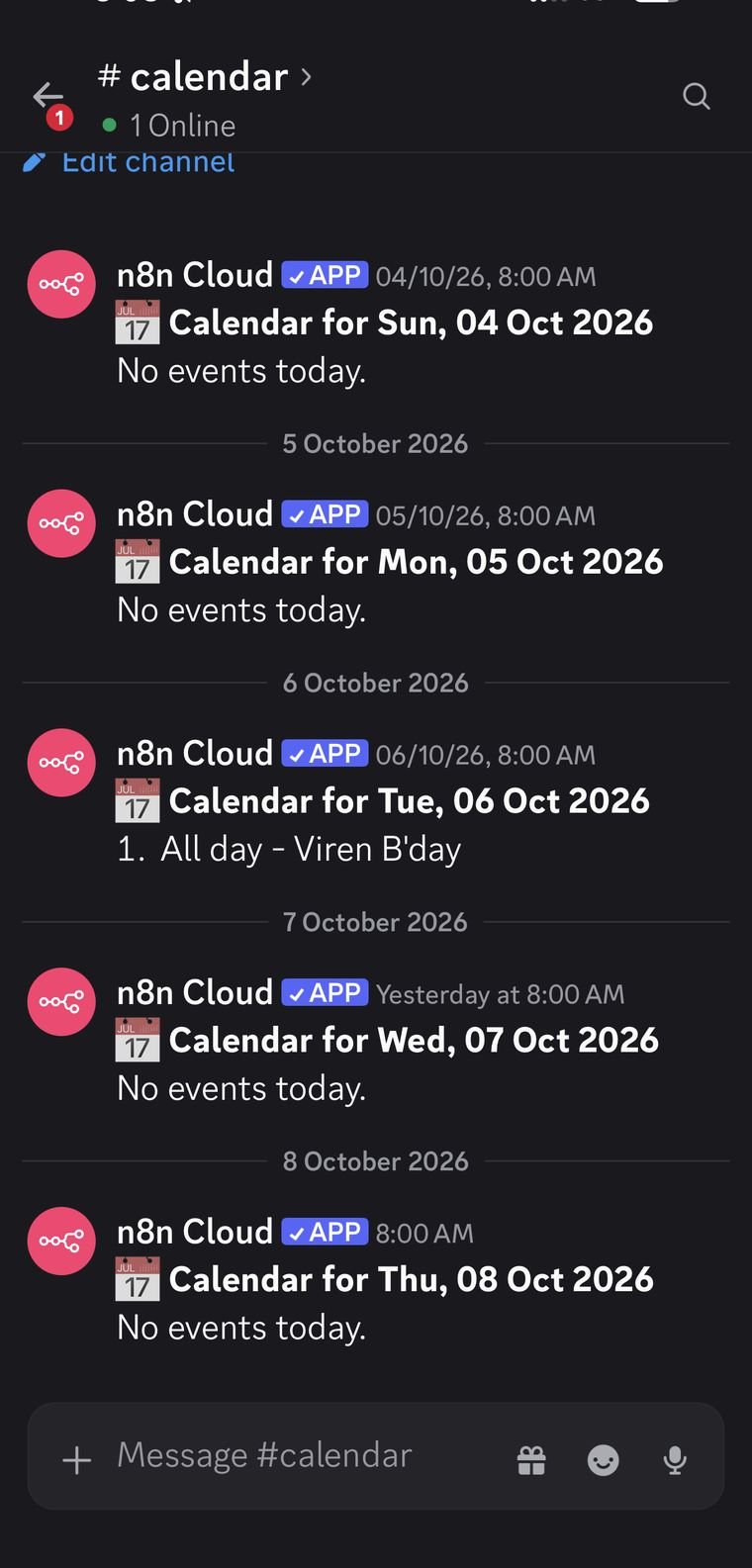
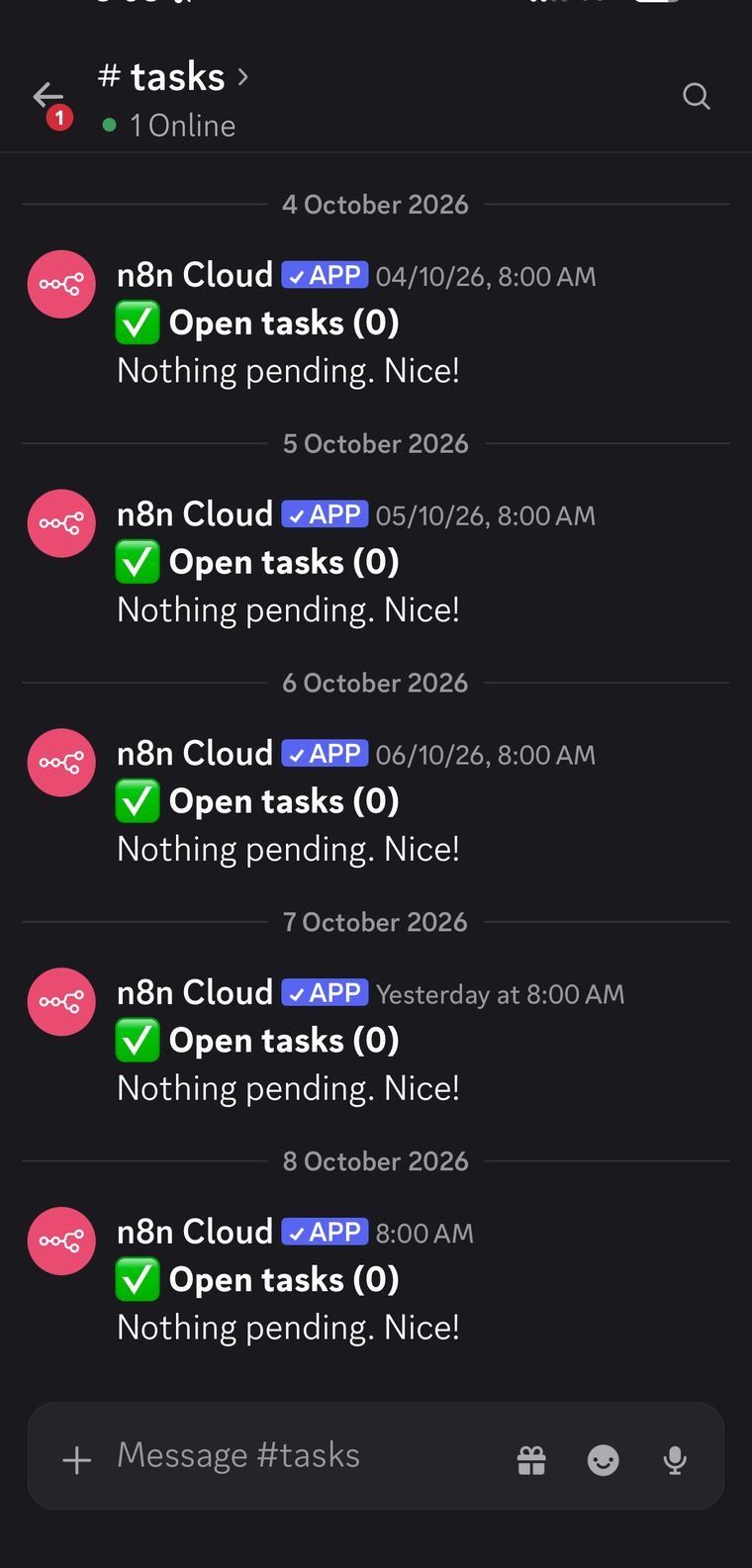
A small one that I rely on more than I expected. At 8 every morning it posts today's Google Calendar events to a #calendar channel and my open Google Tasks to #tasks. With the news digest and the inbox router, Discord has quietly turned into my personal command centre.
In use
Usage figures are my own counts.
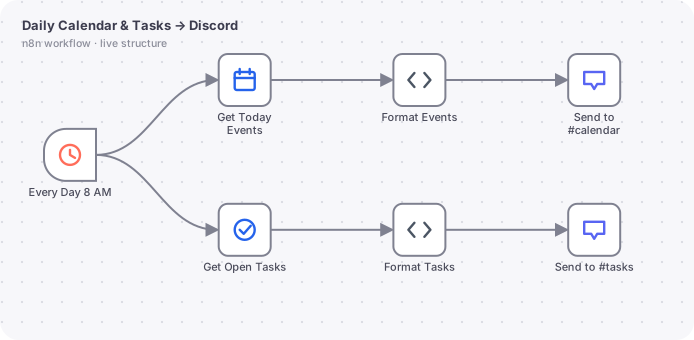
The actual n8n workflow
// Technical overview
A scheduled workflow with two parallel branches that turn calendar and task data into two short Discord messages.
// Trigger
Schedule Trigger every day at 08:00, timezone Asia/Kolkata.
// How it works, step by step
- 01
Get today's events
Google Calendar getAll from the start to the end of today in IST, with recurring events expanded and results ordered by start time. The node always outputs, even with zero events.
- 02
Format events
A Code node numbers each event as hh:mm AM and title, prints All day for date-only events, and prints No events today when empty. Output is cut to 1,990 characters to respect the Discord limit.
- 03
Get open tasks
Google Tasks getAll for one list with completed tasks excluded.
- 04
Format tasks
Another Code node compares each due date with today in IST and tags items overdue, due today or due on a date. Empty lists print Nothing pending.
- 05
Post
Two Discord nodes send to #calendar and #tasks.
// What you can do with it
Start-of-day view
One glance shows meetings and pending work before opening anything else.
Team stand-up feed
Point the same pattern at a shared calendar and a project task list.
Overdue nudges
The overdue tag makes slipped tasks visible every morning.
// Guardrails
- Timezone set in both the workflow settings and the expressions.
- alwaysOutputData so an empty day still posts a message.
- Hard character cap against API rejections.
// Where it can go next
- Add weather and commute time to the calendar message.
- Add an evening summary of what was completed.
- Add a Friday weekly preview.
Screens
Hiring a design leader for an AI product?
I'm open to design leadership roles. Send me a note and I'll reply within two working days.